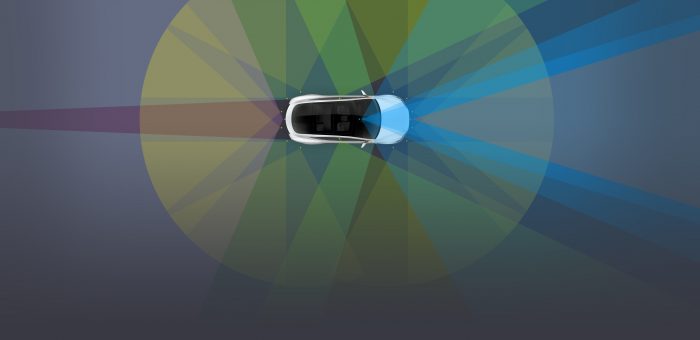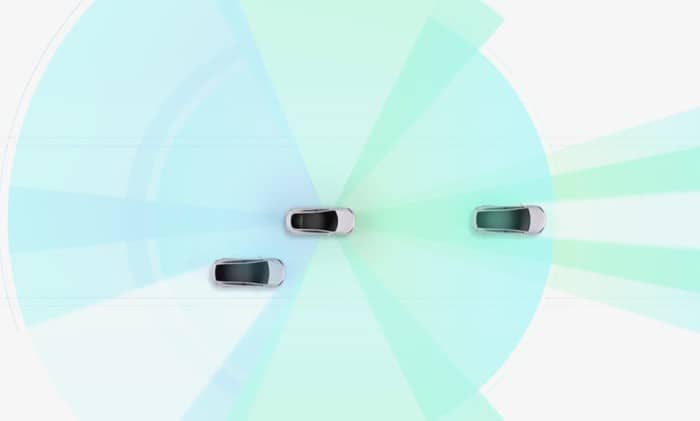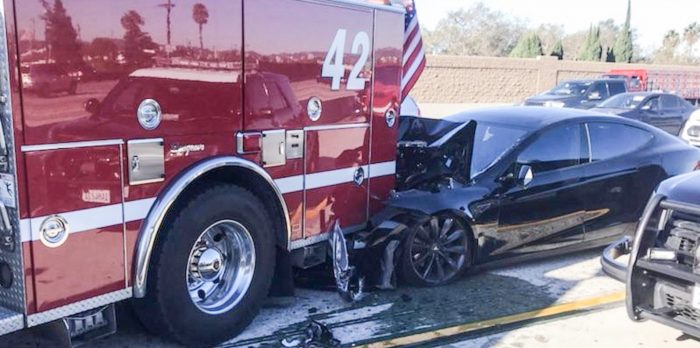
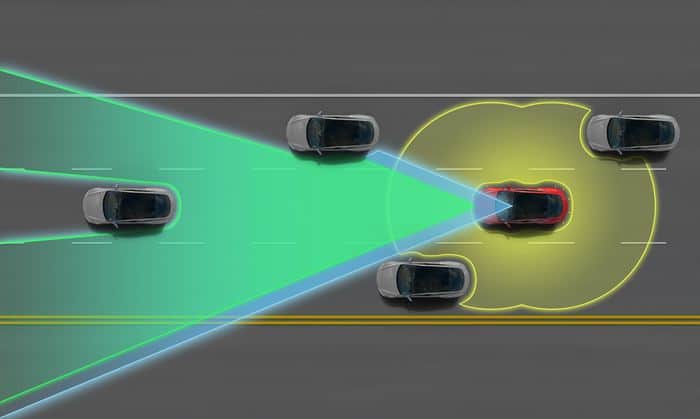
Tesla continually improves its electric vehicles with over-the-air software updates that include enhancements to Autopilot, legacy “Enhanced Autopilot”, and Full Self-Driving (FSD) features in the future.
Note that Tesla recently completely updated their Autopilot options to simplify the lineup across its EVs. Enhanced Autopilot is no longer offered and instead, autonomous driving features have been folded into the Full Self-Driving option.
Was There a Tesla Software Update Today?
Tesla Motors continually rolls out firmware updates to its electric cars, including the Tesla Model 3, Model Y, Model S and X, and probably even the Semi and upcoming Roadster ;). They typically test new features on a smaller set of vehicles first (e.g. 1,000), including Elon Musk’s own car, to ensure there are no issues ‘in the wild’ before rolling firmware updates out to the broader fleet.
How often your Tesla’s Autopilot is updated depends on your patch cycle. Each Tesla vehicle typically has a 30 to 60 day patch cycle, which means that you may not get every incremental update. This ensures the electric vehicle fleet is relatively heterogeneous and not prone to single-bug failures.
It’s probably also helpful to have a strong Wi-Fi signal since the updates can be large. The good news is that your Tesla mobile app will now alert you to updates and allow you to apply them remotely!
What Do the Tesla Software Version Numbers Mean?
Tesla software updates typically look something like this: 2024.40.5.1, where the numbers generally mean:
- 2024 – year
- 40 – week of software build
- 5 – version / revision
- 1 – bug patch number
When you have an update available, the Tesla app will now show you the version number ready to be installed.
Tesla Software Updates 2026
Listed below are the latest major software updates with notable Tesla Autopilot improvements mentioned in the release notes.
NOTE: FSD Beta software releases are tracked on the FSD Beta Updates page.
October, 2026
2026.38 - Halloween Mode
Visual Improvements: Higher-quality vehicle graphics and enhanced parking visualizations on supported Model 3 and Model Y vehicles.
Dynamic Headlight Leveling: Headlights automatically adjust based on driving conditions and nearby traffic on select Model 3 and Cybertruck vehicles.
Supercharger Site Maps: Detailed charging-station layouts with real-time stall availability and status at select locations.
Halloween Mode (added October 6): Ghost-themed vehicle visuals, spooky sounds, lighting effects, and a Halloween Photobooth.
Emergency Drive Away (added October 6): Allows driving away with a Supercharger cable attached in an emergency, although doing so will damage charging equipment and potentially the vehicle.
Set Arrival Energy (added October 6): Set the desired battery charge remaining at your destination through the Tesla mobile app.
September, 2026
2026.32
- Redesigned Wheel Selection - New visual wheel and tire configuration screen makes it easier to select the exact wheels and aero covers installed on the car. Tesla also uses this selection when calculating range estimates.
- Improved Apple Music search - You can now search specifically within your Apple Music Library for saved songs, albums and playlists instead of searching the entire Apple Music catalog.
- Built-in browser ad blocker - Tesla quietly added an ad-blocking option to the vehicle browser. It can remove banners, pop-ups and other advertising, potentially making browsing noticeably faster, particularly on older Intel-based vehicles.
- Security improvements - Includes additional security fixes and improvements across Model S, 3, X, Y and Cybertruck.
- European recall fix - Model 3 and Model Y vehicles affected by EU Recall 2026_103555 receive the remedy over the air, with no service visit required.
July & August, 2026
2026.26 – Summer Update
- Smarter navigation – Preferred Routes learns routes you commonly take, while Automatic Navigation can suggest destinations based on routines and frequently visited locations.
- Expanded Grok vehicle controls – Grok can make calls, play music, adjust climate settings, find vehicle controls, set location-based reminders, and respond to “Hey Grok” on supported AMD-equipped vehicles.
- Custom Wraps – Upload an image from the Tesla app and display a custom vehicle wrap through Paint Shop.
- Camera Preview improvements – Vehicle cameras can now be viewed through the Service menu even when the vehicle is not in Park.
- Set Arrival Energy – Set the desired battery percentage at your destination from the Tesla mobile app before sending a trip to the vehicle.
- Caraoke with scoring – Caraoke now scores performances, tracks high scores, and lets passengers add songs to the queue using their phones.
- Driving visualization controls – Drivers can select different zoom levels for the Self-Driving visualization.
- Updated traction-control modes – New Model 3 gains Auto, Slippery Surface, and Stuck Assist modes.
- Media and browser improvements – Apple Music gets improved queue controls, while the browser gains support for the cabin camera and microphone on supported vehicles.
- Other improvements – Search for Superchargers by name, new welcome animations on newer Model 3/Y vehicles, rear-display locking, and security improvements.
Feature availability varies by model, infotainment processor, region and mobile-app version.
June 2026
Minor fixes and updates to 2026.20, including 2026.20.3
2026.20 – May 30, 2026
- Dashcam Clip Encryption – clips saved to USB are encrypted and viewable only by the vehicle unless decrypted.
- Parental Controls – ability to block Browser, Theater and Arcade while parked.
- “Hey Grok” – launch Grok by app, steering wheel button or wake word, with navigation help and location-based reminders.
- Security Improvements – important security fixes and improvements.
- Service Mode Improvements – added forward camera cleaning view and drive-unit signal chart popups.
2026.14 – April 15, 2026
- New Self-Driving app for subscribing, learning how to use the feature, and viewing stats.
- Navigation adds estimated toll fees for routes.
- Immersive Sound upgrade for newer Model 3 and Model Y.
- Pet Mode customization lets owners choose and name their pet.
- Paint Shop adds more vehicle avatar customization.
- Trips moved into the Energy app for tracking energy use across drives.
- Live Camera View adds interior camera viewing from the Tesla app.
- Music app queue improvements for Apple Music and Spotify.
- Automatic overnight software update installs.
- Dashcam, weather map, Supercharger pricing filter, keyboard, and security improvements.
2026.8 – March 12, 2026
- Autopilot naming update, including “Navigate on Autosteer” and “AI Computer” wording changes.
- Cybertruck Blind Spot Warning While Parked.
- Comfort Braking for the new Model Y.
- Spotify playlist and podcast navigation improvement.
- Option to hide suggested destinations in Navigation.
- Dashcam Viewer now surfaces recent unsaved footage more clearly.
- Tesla app can show which driver profile is selected.
- Slovak language support.
- Service Mode diagnostic improvements.
January & February 2026 Software Updates
2026.2.6 – (including 2026.2.6.1) New Features of Note:
- Charge Cable Unlatching via Door Handle: A highly requested mechanical failsafe. If your charge cable button is stuck, broken, or unresponsive, you can now stop the charging session and unlatch the cable by pulling and holding the rear-left door handle for 3 seconds. The vehicle must be unlocked or recognize your phone key nearby for this to work.
- Child Left Alone Detection: A massive safety addition enabled by default. If the cabin sensors detect an unattended child left in the vehicle, the car will trigger its exterior lights, sound an interior alarm, and immediately ping your Tesla app with an urgent push notification.
- Grok with Navigation Commands (Beta): Grok AI is now integrated into the vehicle’s voice assistant. You can choose Grok’s personality (ranging from “Assistant” to “Unhinged”) and use natural language to set or edit navigation waypoints. For example, you can ask Grok to “navigate to the best Thai restaurant near me” or “find a Supercharger within walking distance of a coffee shop.” (Requires Premium Connectivity).
- Dashcam Viewer Telemetry: Dashcam and Sentry Mode video clips now feature baked-in telemetry overlays. When watching a clip on the vehicle’s screen (or via the app), you will see the vehicle’s exact speed, the steering wheel angle, and whether Full Self-Driving (FSD) was engaged at the time of the recording.
- Dog Mode Live Activity (iOS): If you use an iPhone, activating Dog Mode now creates a Live Activity widget right on your lock screen. It displays real-time cabin temperature updates, and if you have Premium Connectivity, it will fetch periodic interior camera snapshots of your pet.
- Location-Based Charge Limits: You can now set and save a specific battery charge limit tied to a specific geographic location. The car will remember your preference and apply it automatically the next time you park and plug in there.
December 2025 Software Updates
Tesla 2025 Holiday Update – (including 2024.44.25.5) The Tesla 2025 Holiday Update is out! Here’s what’s included:
https://twitter.com/Tesla/article/1997094007948627975
- Grok with Navigation Commands (Beta): Grok can now add and edit navigation destinations, functioning as a personal guide when set to the “Assistant” personality.
- Dog Mode Live Activity: When Dog Mode is active, users can see a Live Activity on their phone showing periodic cabin snapshots and live updates on interior temperature, battery status, and climate conditions.
- Dashcam Viewer Update: Dashcam clips now display additional details such as speed, gear, steering wheel angle, accelerator and brake pressure, and the self-driving state.
- Supercharger Site Map: A 3D view of select Supercharger locations is available by tapping “View Site Map” in navigation. When navigating to a location with this capability, the display upon arrival shows the site layout and live occupancy of each stall.
- Navigation Improvements: Favorites can be reordered, Home and Work locations can be set by dropping a pin, and suggested destinations are provided based on recent trips and habits while parked.
- Automatic Carpool Lane Routing: Navigation includes an option to automatically utilize carpool (HOV) lanes when eligible based on restrictions, time, location, and passenger count.
- Charge Limit Per Location: Users can now save a maximum charge limit for a specific location, which will be applied automatically the next time the vehicle charges there.
- Phone Left Behind Chime: The vehicle will chime a few seconds after the doors close if a phone key or a phone on the wireless charger is detected inside the cabin and no occupants are present.
- Tesla Photobooth: A new feature in the Toybox allows users to take selfies inside the car, apply fun filters, stickers, and emojis, and share them directly from the Tesla app.
- Custom Wraps and License Plates in Paint Shop: The Colorizer is now “Paint Shop” in the Toybox, allowing personalization of the Tesla Avatar with window tints, custom wraps, and license plates using preloaded designs or custom files from a USB Flash Drive.
- SpaceX ISS Docking Simulator: This new game has been added to the in-car Arcade, allowing users to control and guide a rocket using controls based on actual NASA astronaut interfaces.
- Minor Updates: Other improvements include a new Santa Mode with festive graphics and a lock chime; a new Light Show called Jingle Rush; the ability to enable or disable the wireless phone charging pads; Spotify UI updates allowing tracks to be added to the queue from the search screen and seamless scrolling through large playlists; and the addition of the Light Cycle from Tron Mode as a Lock Sound.
November 2025 Software Updates
2025.44 (including 2024.44.3) – New Features of Note:
- Dashcam Update – The Dashcam Viewer app has now been updated with a grid view, making access and reviewing of recordings easier.
August through October 2025 Software Updates
2025.32 – (including 2024.32.8.6) New Features of Note:
- Tron Mode – Turns your UI/vehicle theme into a TRON-style Light Cycle aesthetic (sound + visuals). Found in Toybox → Tron. Rolling out broadly to AMD Ryzen vehicles, incl. 2021+ S/X, 3/Y, Cybertruck.
- 3D Buildings (enhanced maps) – New 3D city/building visualization on the in-car map. Enable via Map View → 3D icon. Requires Premium Connectivity on newer vehicles.
- Dashcam Viewer upgrades – Dashcam/Sentry clips now label street names in event details and the mobile Dashcam Viewer (Tesla app 4.49.5+) streams/downloads at higher resolution on newer vehicles.
- New left scroll-wheel shortcut menu – Press and hold the left scroll wheel to pop up fast-access controls like Bioweapon Defense Mode, Mute Navigation, Music Light Sync (if supported on your car).
- Low Power Mode: disables features when parked to preserve battery.
- Rave Cave remembers your last setting and auto-adjusts when shifting into Park.
- Child Left Alone Detection: flashes lights, plays alert tone, and notifies your Tesla app. (New Y)
- Minor updates: Dog Mode floor temp lowered to 64 °F; range estimation tweaks; general fixes.
2025.26 – (including 2024.26.8) New Features of Note:
- Grok (Beta): voice assistant by xAI, selectable personalities, long-press mic to launch.
- Light Sync: ambient lighting responds to music and artwork.
- Dashcam updates: playback speed adjustment, option to fit or fill screen.
- Site Info at Arrival: charger list icons for valet/pay-park, arrival notifications (access codes, level, restrooms)
June and July 2025 Software Updates
2025.20 – (including 2025.20.3 and 2024.20.6) New Features of Note:
- Supercharging Live Activity – View your Supercharging session with Live Activity on your iPhone or paired Apple Watch.
March through June 2025 Software Updates
2025.14 – (including 2024.14.6 and 2024.14.9) New Features of Note:
- Alternative Trip Plans – Multiple trip plans are now available for you to choose from, allowing you to better suit your travel needs.
- Adaptive Headlights (newer models) – High beams now adapt to reduce glare for other drivers and cyclists.
- Blind Spot Camera on Driver Screen (new S & X)
2025.8 – (including 2024.8.4) Minor Updates
- You can now run a Battery Health Test to measure your battery’s energy retention compared to when it was new
- View your last 10, 100, or 200 miles (15, 150, or 300 kilometers) of energy usage in the Consumption page
January & February 2025 Software Updates
2025.2 – (including 2024.2.8) New Features
- Rear Cross-Traffic Chime – When you shift into Reverse, a warning sound will play from the direction of an incoming object detected crossing behind you, such as a vehicle or pedestrian.
- Merged FSD Updates – This version now also includes combined FSD v12.6.4 for HW3 vehicles and FSD v13.2.8 for HW4 vehicles.
2024.45 – (including 2024.45.25.5) New Features
- Precipitation Map and Weather at Destination – You can now view precipitation in your area directly on your vehicle’s map. Additionally, while navigating, you can see the destination’s weather in the weather popup.
- Search Along Route – While navigating, when you search for a location (like coffee shops, fast food, or other stops), the results are now filtered to show options along your route.
- Rear Cross Traffic Alert – When you shift into Reverse, your vehicle will alert you if it detects a pedestrian or vehicle crossing behind you by highlighting the corresponding side of the rearview camera feed in red.
- Apple Watch – Tesla for Apple Watch allows you to pair your watch as a key and unlock and lock your vehicle without ever pressing a button.
- Apple Watch – Tesla for Apple Watch allows you to pair your watch as a key and unlock and lock your vehicle without ever pressing a button.
- Camera Visibility Detection – At the end of your drive, you will receive a notification if poor camera visibility is detected. To view these images go to Service > Camera Visibility.
2024.44.25 – (including 2024.44.25.2, 2024.44.25.3) Holiday Update
The 2024 Tesla Holiday Update is another big one and will include:
- Tesla App on Apple Watch – Use your Apple Watch as your phone key. You can also view battery charge, open frunk & turn on climate control
- Save Dashcam & Sentry Mode clips to phone – Watch Dashcam & Sentry Mode clips directly from the Tesla app and save them to your phone to edit or share
- Autoshift between Drive & Reverse on stalkless Model 3 – Autoshift on stalkless Model 3 can now automatically shift between Drive & Reverse to handle parking lot maneuvers & multi-point turns
- SiriusXM – SiriusXM now available for Model 3, Y & Cybertruck
- Set Arrival Energy at Destination – You can now set a preferred battery charge level for when you arrive at your destination
- Search Along Route with Estimated Detour Times – When navigating, search results are now filtered to show options along your route & estimated detour times
- Precipitation Map & Weather at Destination – View precipitation directly on the map to check the weather at your destination
- Rear Cross Traffic Alert – When in Reverse, your vehicle will alert you if it detects a pedestrian or vehicle crossing behind you. An audible warning will also play if a potential collision is detected
- Schedule Light Show from the Tesla App – Remotely schedule Light Shows from the Tesla app, including the two new Light Shows in the 2024 Holiday Update
- Boomerang Fu – Slice & dice your friends with boomerangs in this action-packed party game
- Fart On Contact – Prank your friends with each new bum detection… Sit happens
- … and more!
— Tesla (@Tesla) December 2, 2024
November 2024 Software Updates
2024.44 – (including 2024.44.3 and 2024.44.4) New Features:
- Cold Weather Improvements – Battery preconditioning has been improved for better Supercharging performance as well as better automatic windshield defogging during and after Supercharging. (Model 3 and Y)
- Trailer-Friendly Superchargers – You can now see whether a Supercharger has trailer-compatible stalls.
September & October 2024 Software Updates
2024.38 – (including 2024.38.7) New Features:
- Spotify Free – Listeners can now use Spotify on their Tesla vehicle without a Spotify Premium plan.
- LiveOne Powered by Slacker Radio – The Streaming app has been changed to LiveOne. To access, tap the LiveOne icon in the Application Launcher.
2024.32 – (including 2024.26.10) New Features:
- Construction on Your Route – Navigation now shows relevant construction zones along your route.
- Predictive Text for Navigation Searches – Your vehicle now suggests search terms in addition to locations as you enter text in the navigation search bar
- Search This Area – Refine a navigation search when you zoom in or drag to a different area of the map by tapping “Search this area” when prompted.
- Mobile App Notification for Tire Service – You are now notified via the mobile app when tire service should be scheduled for your vehicle.
July & August 2024 Software Updates
2024.26 – (including 2024.26.10) New Features:
- YouTube Music – Listen to over 100 million songs with YouTube Music Premium.
- Amazon Music – Prime members get access to over 100 million songs in shuffle mode, All-Access playlists, plus the largest catalog of top ad-free podcasts.
- Parental Controls – You can now enable Parental Controls with a PIN on your vehicle.
- Weather Forecast and Air Quality – Your vehicle status bar now shows the local weather conditions alongside the temperature. When air quality is poor, your vehicle also shows an AQI symbol and index value.
- Schedule Charge and Preconditioning – From the redesigned menu or the Tesla mobile app, schedule charging or preconditioning for your vehicle.
- Navigate to Sub-Destinations – Now when you enter a navigation destination you can select a sub-destination (such as a specific terminal at the airport) to get more accurate routing details.
- Zoom Meeting Full Screen – Zoom meetings now default to full-screen when your car is in Park. You can also log in with QR code.
June 2024 Software Updates
2024.20 – (2024.20.1, 2024.20.3) New Features:
- Headlights Adapt for Curves – Headlights now adapt for curves in the road ahead for greater visibility in low lighting on newer vehicles
- Hot Weather Improvements – This release includes various improvements that optimize your vehicle’s performance in hot weather. The A/C cools down the cabin faster, and your vehicle better regulates the HV Battery temperature for enhanced Supercharger performance.
- Beach Buggy Racing 2 – Supercharger Races: Set the fastest lap at your local Supercharger! Drive to a Supercharger and compete in Beach Buggy Racing special races to set the fastest time on the leaderboard against other players.
- Security Improvements: This update includes important security fixes and improvements.
April / May 2024 Software Updates
2024.14 – (2024.14.3, 2024.14.6) New Features:
- Audible – Listen to thousands of Audible Originals, audiobooks, and podcasts. (Cybertruck only?)
- Preview of Sentry Mode Recordings – When Sentry Mode triggers your vehicle alarm and records an event, you can immediately preview a brief clip of the recording on your phone.
- Hands-Free Trunk: Certain newer models (3, S, X) can open trunk even when your hands are full. Stand still behind your trunk with Phone Key unobstructed, listen for the chimes, and the trunk will open on its own.
- Visual UI Updates: User Interface v12 updates certain visual UI elements on screen such as expandable Autopilot driving visualizations.
- Trip Progress Bar – Below the turn-by-turn list in your navigation, you’ll now see a progress bar that changes as you drive closer to your destination or next stop.
- Spotify Queue and Playback Speed – You can now sync your Spotify queue across vehicles and devices, and adjust playback speed.
- Better Route Available – Navigation now shows you, at the top of your turn list, if a faster route becomes available.
- Wiper Controls – When you press the wipers button to view wiper controls, you can now adjust wiper speed by moving the left scroll wheel up or down.
- Speed Camera Chime – To hear a chime when you’re approaching a speed camera, turn on Navigation > Speed Camera Chime in your vehicle settings.
March Software Updates
2024.8 – (including 2024.8.7, 2024.8.9, 2024.8.12) New Features:
- One-Time Charge Limit: If you’re planning a road trip, you can choose the One-Time Charge option.
February 2024 Software Updates
2024.2.11 (including 2024.2.9, 2024.2.11) – New Features:
- Autopark – Your vehicle can now automatically park — and parallel park — in designated spaces. (certain vehicles only on 2024.2.11)
- Ultra-Wideband Phone Key: Ultrawide band (UWB) technology is now available for Phone Key. So your vehicle and Phone Key can communicate with greater accuracy to more responsively lock, unlock, and open Automatic Doors.
- Reminder to Plug In at Home: You’ll now receive a reminder on your phone to plug in your vehicle when you park at home with less than half of your Charge Limit.
January 2024 Software Updates
2024.2 (and 2024.2.2.1) – Minor Updates:
- Over-the-Air Recall: Telltale Text Size – As the remedy for US Recall 24V-051, this update to your vehicle software increases the text size of three telltales.
- More Efficient Charging: Your vehicle now adjusts to the power level of each DC charging station. So battery preconditioning when you’re navigating to a charger, and then charging, can be more efficient.
- Security Improvements: This update includes important security fixes and improvements.
Learn more about Future Tesla Autopilot Software Updates.